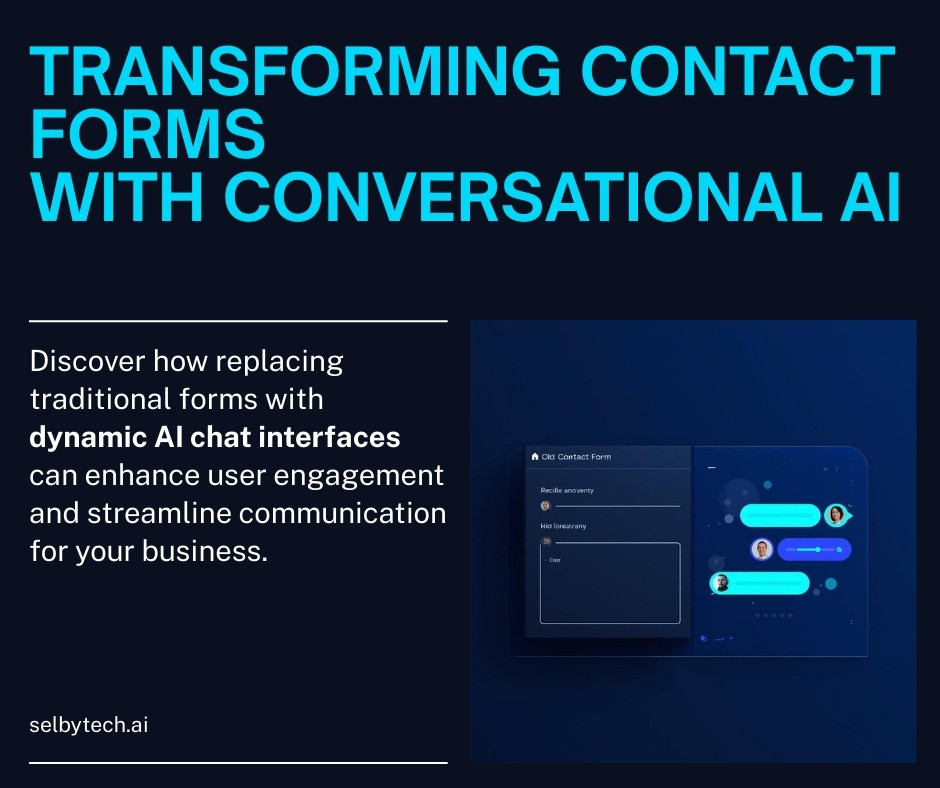
A conversational AI contact form is one of the most practical ways to improve the quality of inbound leads — and replacing a traditional static form with one has made a bigger difference than I expected.
For a long time, the contact page on my site used a fairly standard pattern: a form, a handful of required fields, and LinkedIn authentication to reduce spam.
It worked, but it was never particularly satisfying.
From the visitor’s perspective, it required guessing what information mattered before any conversation had started. From my perspective, the submissions often lacked the context needed to understand whether there was a real fit, or what problem someone was actually trying to solve.
I recently made the switch, and the change has been more impactful than I expected.
The problem with flat forms
Traditional contact forms optimize for structure, not understanding. They force people to compress complex situations into a few text boxes, often without knowing how that information will be used.
To compensate, forms tend to grow. More required fields, more validation, and eventually some form of authentication to fight spam. Each addition reduces abuse, but also increases friction for legitimate users.
The result is usually lower volume and lower-quality signal.
What I wanted instead was a way for visitors to explain what they are trying to do in their own words, while still giving me enough structure on the backend to follow up intelligently.
How a conversational AI contact form reduces friction
The new contact experience is a simple chat interface embedded directly on the existing contact page. Visitors can start typing immediately, without logging in or authenticating, and receive relevant responses in real time.
The agent’s role is intentionally narrow. It is not there to sell, over-promise, or replace a human conversation. Its job is to understand the visitor’s situation, provide helpful context where appropriate, and guide qualified conversations toward a follow-up.
This alone removes a surprising amount of friction.
Architecture overview
I deliberately kept the architecture simple and modular.
The conversational agent runs as a container inside a Kubernetes pod and uses the OpenAI API as the underlying AI engine. This keeps the AI component isolated, easy to iterate on, and easy to replace or extend later if needed.
On the frontend, the chat interface is rendered by a custom WordPress plugin that is invoked via shortcode. Rather than building a separate frontend or redesigning the site, I simply replaced the existing shortcode on the contact page. This kept the change localized and reversible.
From a deployment perspective, the site did not need to “know” anything about Kubernetes or the agent’s internals. WordPress remains WordPress.
Storing conversations as first-class data
One of the more important decisions was how to store the results of these conversations.
Instead of treating chats as transient logs or emails, conversations are stored in a small, purpose-built CRM schema. This includes the conversation itself, any contact details a visitor chooses to share, and the relationship between the two.
That data lives in a database hosted in the same Kubernetes cluster as the agent. It is not exposed publicly, and there are no public CRM endpoints.
To review conversations, I built a read-only admin interface that is accessible only inside the WordPress admin area. This means CRM data is available where I already work, but remains private and protected by WordPress’s existing authentication and authorization model.
Keeping the CRM read-only at this stage was a deliberate choice. It reduces risk, simplifies the security model, and keeps the focus on learning from real usage before adding features.
Security and privacy considerations
Any system that sits at the boundary between anonymous visitors and internal data needs to be careful about scope — a principle that also applies to technical due diligence when evaluating platform security.
- The public-facing chat interface has no direct access to CRM data
- CRM data is not exposed via public APIs
- Administrative access is restricted to authenticated WordPress admins
- The agent itself only stores what is necessary to support follow-up conversations
This keeps the privacy model straightforward and avoids introducing unnecessary attack surface.
Early observations
The most noticeable change so far is the quality of incoming context. Conversations tend to be more descriptive, more honest about constraints, and easier to understand than form submissions ever were.
Just as importantly, the experience feels more human on both sides. A conversational AI contact form removes the gate entirely — visitors are no longer filling out fields, they are starting a conversation.
What comes next
This is still early, and there is plenty of room to evolve the design.
One of the next areas I plan to focus on is the CRM itself. While the current implementation is intentionally integrated with WordPress for simplicity and security, my longer-term goal is to make the CRM component independent of WordPress entirely. That would allow it to stand on its own, with WordPress acting as just one possible administrative surface.
Alongside that, I plan to refine the overall architecture and deployment model so this approach can be reused more easily on client sites. The intent is to make it straightforward to deploy, reason about, and operate without introducing unnecessary complexity.
For now, the priority is feedback. Real usage will shape where this goes next.
Related Reading
This project is one example of how I apply hands-on technical leadership to solve real business problems. If you’re exploring how AI or automation could improve your own customer experience, learn more about fractional CTO services or start a conversation about your technology needs.
For a broader look at automation strategy, see my guide on when and why to use Robotic Process Automation (RPA).